Overview
How much money will actually reach my account? Reku’s withdrawal fees made that answer hard to predict. As the product designer, I redesigned the flow around clearer fees, faster amount entry, and control over the amount received. In an internal comparison, the two tested tasks took 19 and 33 fewer seconds to complete.
- Role
- Product Designer
- Industry
- Crypto, Investment, Fintech
The Challenge
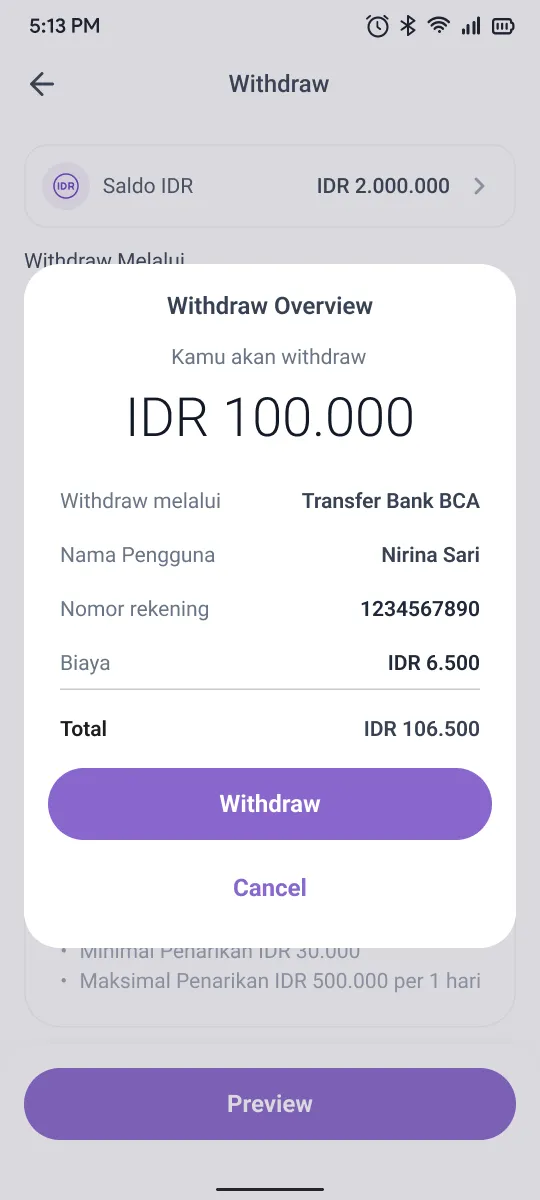
Users needed to choose whether fees came out of their entered amount or were added on top. The total depended on the destination and authentication method: bank transfers carried a transfer fee, while withdrawals without Google Authenticator also incurred an SMS fee. The design challenge was to make those rules clear before users committed to a withdrawal.
Mapping the Fee Scenarios
I mapped the fee scenarios across bank, e-wallet, and internal transfers. This helped me identify when fees applied and where users needed a choice about how those fees affected their money.
Bank & E-Wallet
Auth Active
Auth Inactive
Internal Transfer
Auth Active
Auth Inactive
Try the original flow to see how users encountered withdrawal amounts and fees before the redesign.

Giving Users Control Over Fees
I introduced “Receive full amount” so users could decide what arrives in their account. When enabled, fees are added to the entered amount; when disabled, fees are deducted from it. The option appears only when fees apply and the available balance can cover both the amount and the fees.
Bank & E-Wallet
Auth Active
Auth Inactive
Internal Transfer
Auth Active
Auth Inactive
Refined Withdrawal Flow
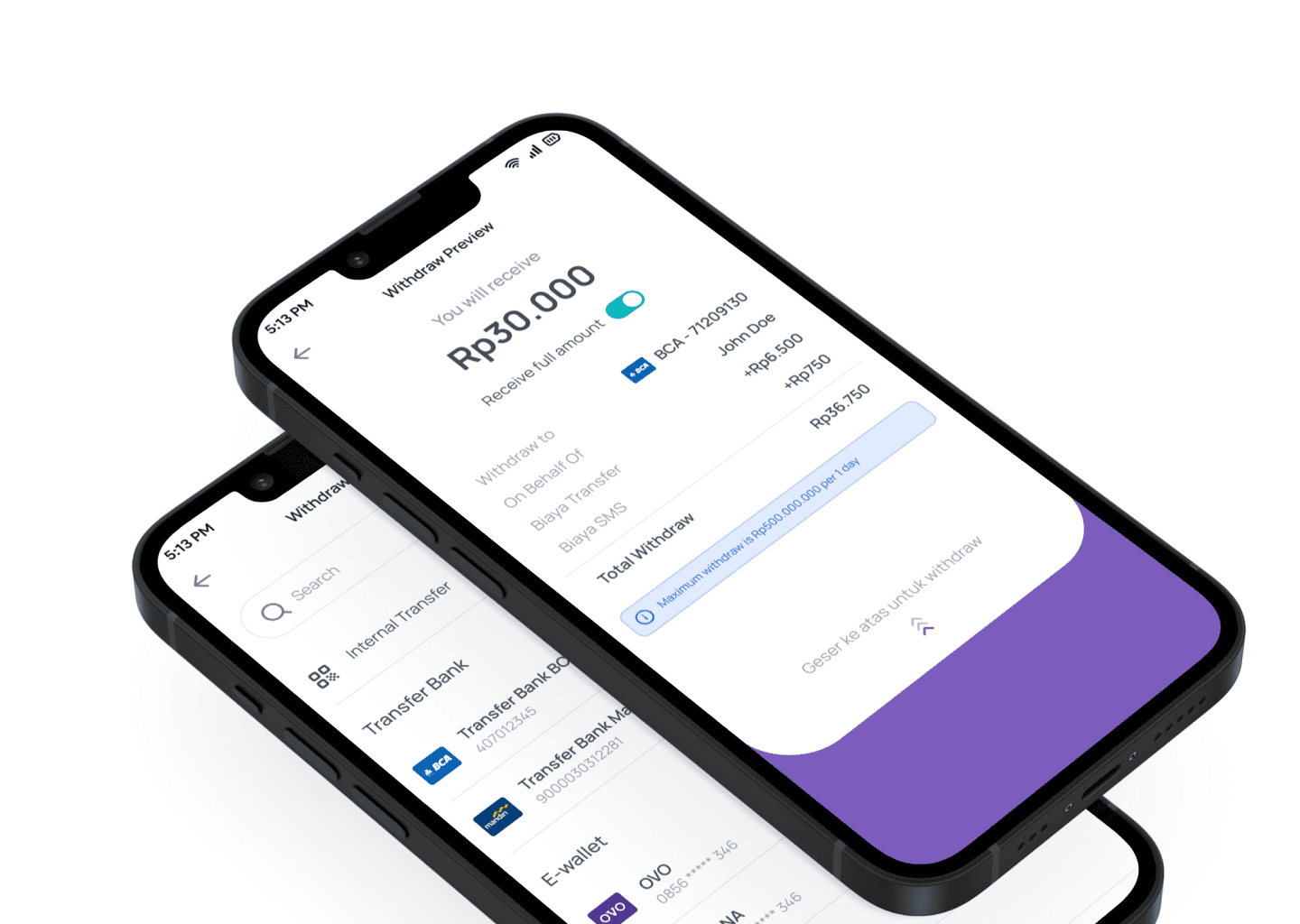
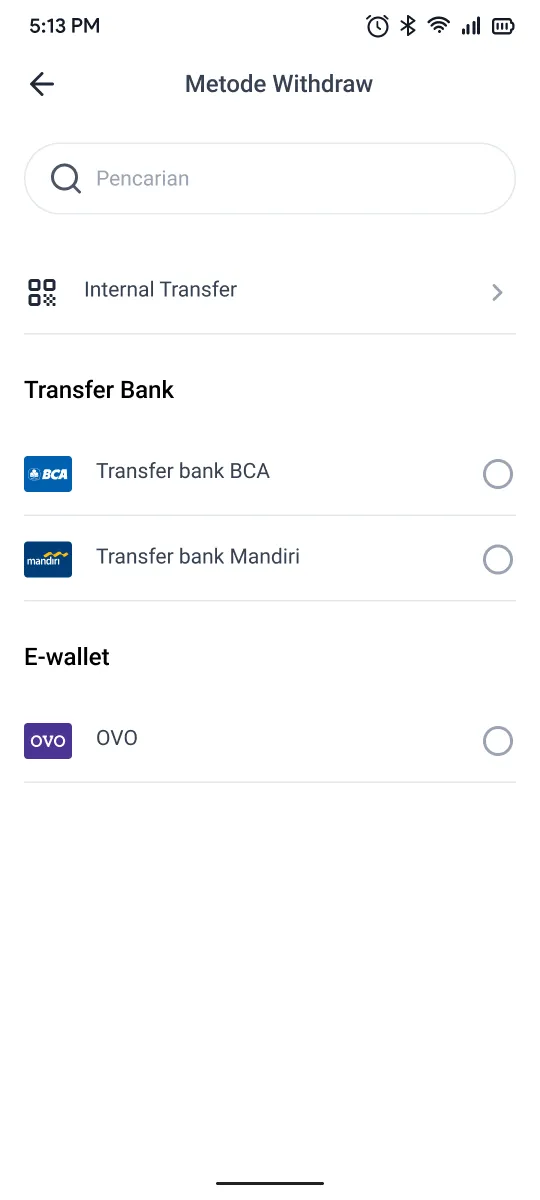
I separated destination selection, amount entry, and review into focused steps. Quick amount buttons reduce typing, while the preview shows the amount received, fees, and total withdrawal together. A swipe up takes users to verification before the withdrawal is completed.
Withdraw Method
Transfer Bank
E-wallet
No destinations found.

Available Balance: Rp2.000.000
✓ Address Saved
You will receive
- Withdraw to
-
- On Behalf Of
- John Doe
- Biaya Transfer
- Biaya SMS
- Total Withdraw
Verification
SMS OTP sent to +62 8123*****342
 IDR
IDR

Withdraw Request Submitted
Your withdrawal will be processed within 15 minutes.
Turn on “Receive full amount” to receive the amount you entered, with fees added to your total withdrawal. Turn it off to deduct fees from the amount you receive.
Testing the Redesigned Flow
We compared the original and redesigned flows with internal peers using two tasks: withdrawing the maximum amount to a saved destination, and a specific amount to a new destination. Both tasks were completed faster in the redesigned flow.
| Scenario | Old Flow | New Flow |
|---|---|---|
| Maximum amount · saved destination | 45 sec | 26 sec |
| Specific amount · new destination | 65 sec | 32 sec |
These timings come from an internal comparison. They show an early improvement in task speed, but do not establish performance across the wider user base. Time constraints left convenience and satisfaction unmeasured; the next step would be to test with users and assess how confidently they understand the fees.
Outcome
The redesign gives users a clearer view of what they will receive and a choice in how fees are applied. The internal comparison also showed shorter completion times for both tested tasks.
19 Seconds Faster
For the maximum-amount scenario using a saved destination.
33 Seconds Faster
For the specific-amount scenario using a new destination.
More Flexibility
Users can choose to receive the full entered amount or have fees deducted from it.